E-commerce
Online shops and marketplaces selling to EU consumers.
Find the WCAG 2.1 AA issues the European Accessibility Act points to, give visitors accessibility controls today and track your fixes in one dashboard. Free plan, no card needed.
Free WCAG check on up to 5 pages, no account needed. Or start free.
28 Jun 2025
EAA applies from
WCAG 2.1 AA
Standard behind it
16
Visitor tools
Overview
The European Accessibility Act (Directive (EU) 2019/882) requires certain products and services sold to consumers in the EU to be accessible to people with disabilities. Its rules have applied since 28 June 2025.
For websites and apps, the EAA points to the harmonised standard EN 301 549, which uses WCAG 2.1 Level AA. In practice, EAA compliance for your website means meeting WCAG 2.1 AA and publishing information on how your service meets the requirements.
Scope
Businesses selling these services to consumers in the EU, wherever the business is based.
Online shops and marketplaces selling to EU consumers.
Online banking, payment and account services.
Websites, apps and e-tickets for air, bus, rail and water travel.
Electronic communication services and their websites.
Services that give access to TV and video content.
E-books and the software used to read them.
Requirements
A practical EAA checklist for websites and apps.
Meet WCAG 2.1 Level AA.Text alternatives, captions, keyboard access, visible focus, colour contrast, clear headings, labelled forms and error messages.
Work with assistive technology.Pages must work with screen readers, screen magnifiers and voice control.
Publish accessibility information.Explain how your service meets the requirements, usually in an accessibility statement.
Keep it accessible.New pages, products and checkout changes must stay accessible, so test as you release.
Go through each criterion with our WCAG 2.2 checklist, see WCAG 2.1 vs 2.2 for what changed, or read our own accessibility statement as an example.
How Inclusense helps
On-demand scans check your pages against WCAG 2.1 and 2.2 AA and rank issues by severity, with AI-assisted fix guidance.
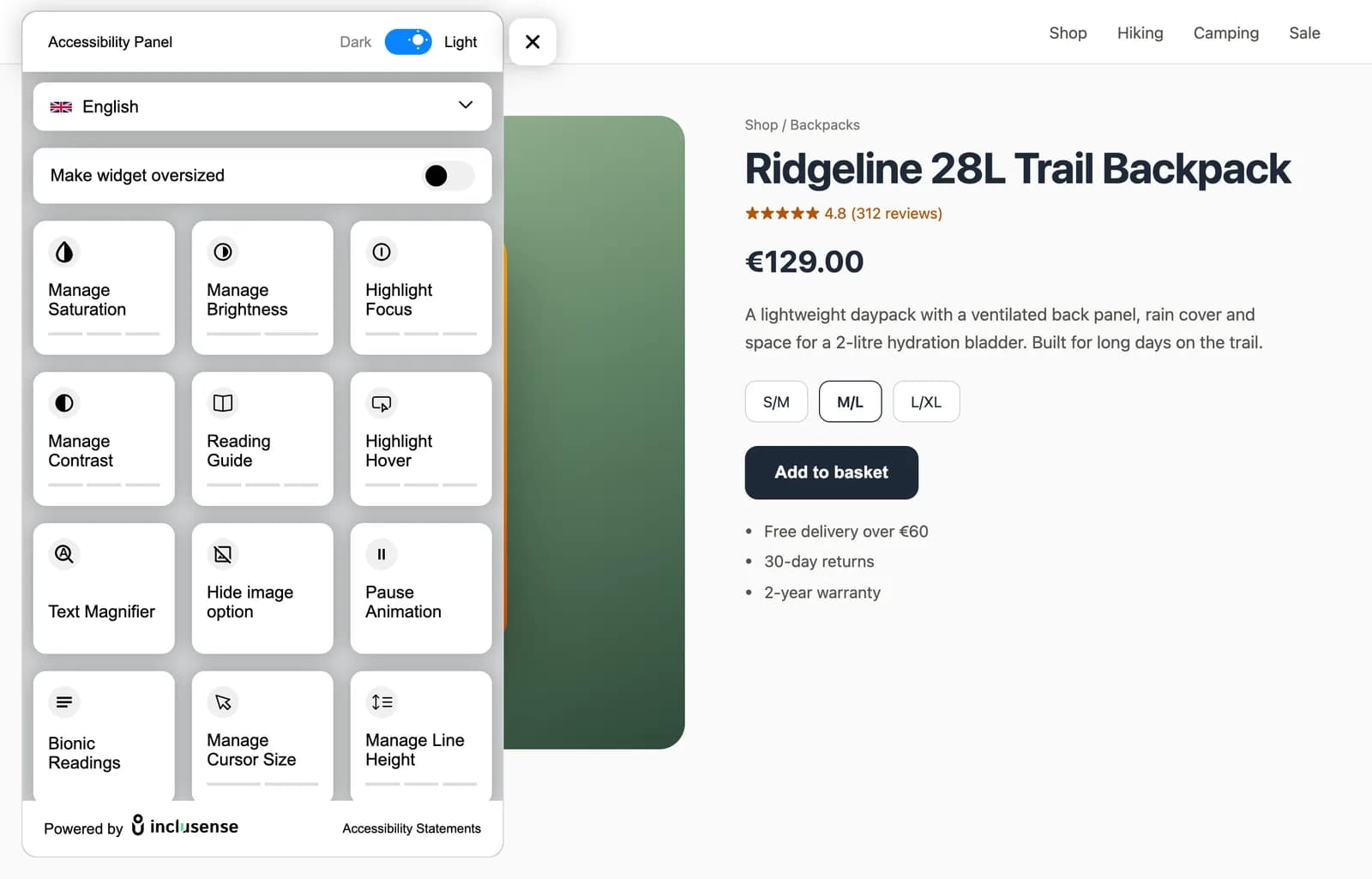
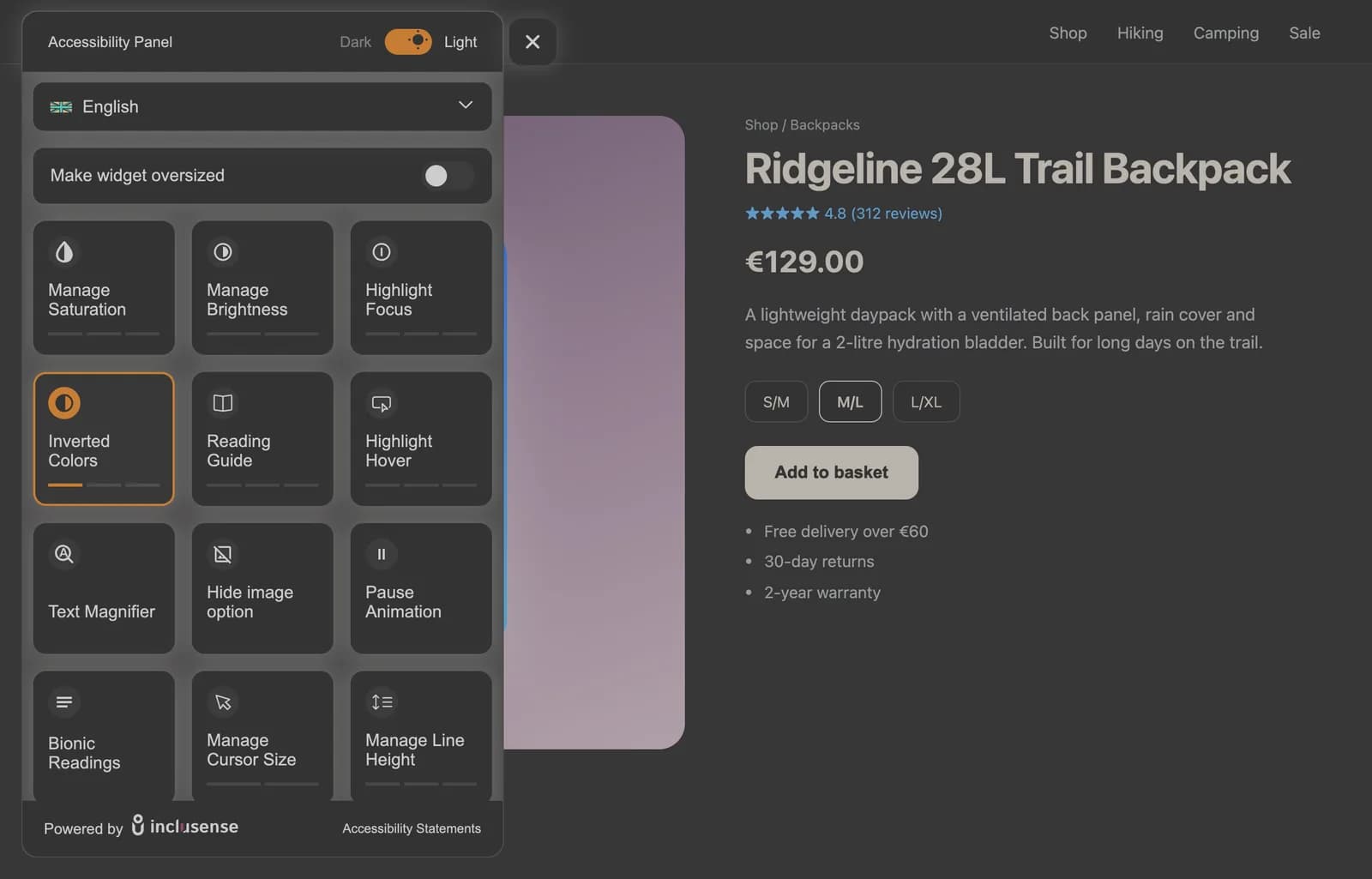
The widget gives visitors 16 tools for contrast, text, reading and motion, in multiple languages, while your team fixes the code.
One dashboard for every site: rescan after each release to check your fixes.
Use your scan results to describe what meets WCAG 2.1 AA and what you are still fixing in your accessibility statement.
Comparison
Most teams combine more than one. Here is what each type of tool does.
| Type | What it does | Limits | Inclusense? |
|---|---|---|---|
| Automated scanner | Checks pages against WCAG and lists issues to fix | Finds many issues, not all; needs manual checks too | Yes, Inclusense scans |
| Accessibility widget | Lets each visitor adjust contrast, text, spacing and motion | Helps visitors but does not fix your code | Yes, the Inclusense widget |
| Manual audit | An expert tests your site with a keyboard and screen readers | Thorough but slower and more expensive | No, pair our scans with an expert audit for key flows |
| Remediation | Developers fix the issues in your templates and content | The only way to fix code-level issues | Fix guidance only; your team or agency makes the fixes |
Honest limits
No. A widget helps visitors, but compliance depends on your code and content meeting WCAG 2.1 AA.
Widget
16 tools plus a language selector. Turn each one on or off in your dashboard.
Plans
Start free on sites with up to 10,000 monthly page views. Multi-language support starts on Starter. Scans are priced separately.
| Plan | Monthly views | Tools | Customise | Languages | Branding |
|---|---|---|---|---|---|
| Free$0/mo | Up to 10K | 6 core tools | English | Inclusense badge | |
| Starter$19/mo | Up to 50K | 11 tools | Multi-language | Inclusense badge | |
| Silver$49/mo | Up to 100K | All 16 tools | Multi-language + auto-detect | Remove badge, add your logo | |
| Gold$69/mo | Up to 1M | All 16 tools | Multi-language + auto-detect | Remove badge, add your logo |
Over 1M monthly views? See Platinum and yearly billing on the pricing page.
Get started
Run a free check on up to 5 pages, or sign up to scan your whole site against WCAG 2.1 AA.
Paste one line of code, or install the WordPress plugin. Guides cover Shopify, Wix and Squarespace.
Work through issues by severity, rescan after each release and update your accessibility statement.
Also selling in the US? See the ADA compliance widget. Setup guides: WordPress, Shopify, Wix and Squarespace.
FAQ
EAA compliance means your covered products and services meet the accessibility requirements of the European Accessibility Act (Directive (EU) 2019/882). For a website or app, that generally means meeting WCAG 2.1 Level AA through the EN 301 549 standard and publishing information on how your service meets the requirements.
The EAA has applied since 28 June 2025. Some services already in place before then have transition periods, but new websites, apps and features should meet the requirements now.
It applies to businesses that sell covered products or services to consumers in the EU, including e-commerce, consumer banking, transport, telecoms, audiovisual media and e-books. Microenterprises providing services, with fewer than 10 staff and €2 million or less in turnover, are exempt from the service rules.
The EAA is not UK law, but it applies to UK businesses that sell covered products or services to consumers in the EU. UK websites also have their own duties under the Equality Act 2010.
No. A widget helps visitors adjust the page, but EAA compliance depends on your site's code and content meeting WCAG 2.1 AA. Use the widget alongside scans and code fixes. Inclusense does not guarantee compliance, and this is not legal advice.
Most teams need more than one tool: an automated scanner to find WCAG issues, a way to track fixes over time, and a manual audit of key journeys such as checkout. A widget can support visitors while you fix the code. Inclusense combines scans, tracking and a widget in one dashboard.
Each EU country sets its own penalties and enforcement. They can include fines and orders to remove non-compliant products or services from the market, so check the rules in the countries where you sell.
This page is general information, not legal advice. Last updated:
Scan up to 5 pages free, then add the widget on the free plan. No card needed.